Part two of a four part Use Case series
Use Case 2: Isolating and replicating video streaming quality issues using SYNESIS
When a video stream is pixelating the blaming game always starts with the network as the primary suspect. For a network engineer or vendor to prove otherwise, capturing,troubleshooting, and replicating these type of issues are always a challenge with these questions part of the troubleshooting workflow:
- What part of the network is causing the packet loss problem: the service provider’s cloud or on premise at the customer site?
- When does it happen? Is it intermittent? Any patterns in occurence?
- Where and how can I obtain visibility?
Getting answers to these questions is not trivial since unless you have a easily deployable portable network recorder capable of high fidelity capture rates with no packet loss then solving these types of problems is very difficult. Fortunately, this is where SYNESIS and the Three Rs can help.
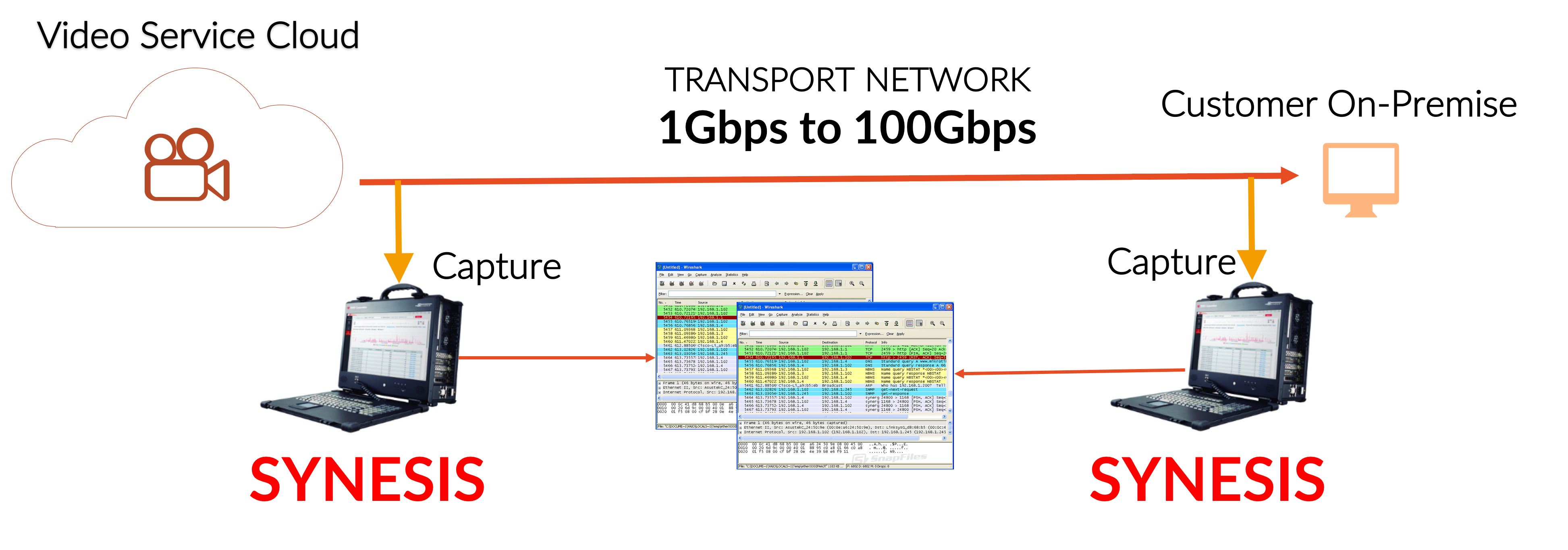
RECORD – Use a “divide and conquer” approach in isolating where in the network the packet loss is occurring. Start capturing at two different locations: closest to the video source, closest to the destination (i.e. end user). Compare the capture results between the source and destination. If the packet count for the video flow is less at the end user then there was definitely packet loss somewhere in the network path between the source and destination. The next step is pin-pointing the packet loss location by systematically moving the second SYNESIS’ capture point closer to the video source. Also, in addition to having real world traffic for testing where the chance of problem replication is increased, you now have the data for a repeatable test.
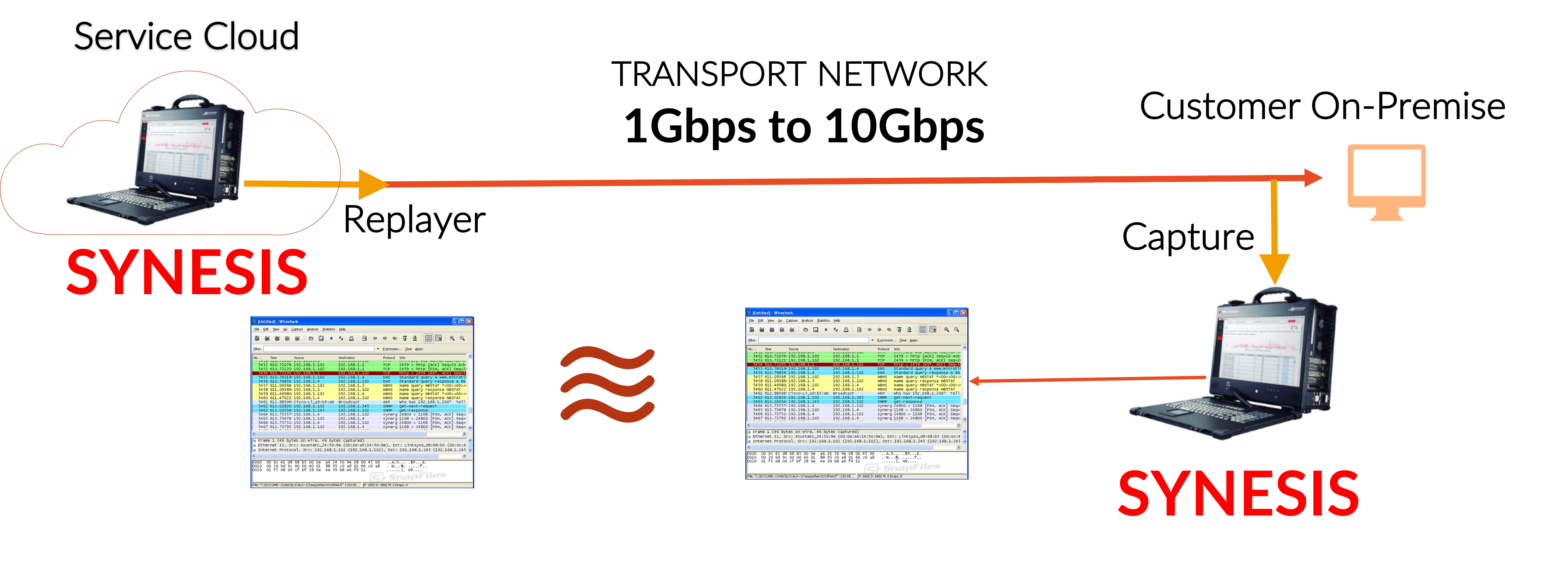
REPLAY to REPLICATE – Use SYNESIS Replayer to generate the traffic conditions that triggers the packet loss. Again, compare the capture flow to what was replayed. If there was packet loss then the faulty network hop is still upstream. Systematically move your capture point closer to the video source then replay and compare results again. Eventually, you’ll be able to identify the problematic hop or section in your network causing the packet loss. The fix may involve setting QoS, physical hardware changes, reconfiguring load balancers,…etc. After the the location has been identified and network configuration changes have been applied, rerun the test to confirm the fix.