Monthly Archives: April 2017

TOYO Corp Newsletter April 2017: The best solution for replicating network problems by replaying packets!

100% Packet Capture / 100% Packet Replay

NetworkRecorderReplayer

SYNESIS is our award winning Ethernet network packet capture system, available in both portable or rack mount platforms. SYNESIS supports line rate capture of up to 100Gbps and packet replay of up to 10Gbps.  Perfect application for engineering teams that require real traffic data in replicating customer issues and testing bug fixes.

Click here for more information on SYNESIS

Check out the latest entry in our SYNESIS Blog!

The Three “R”s for Network Device Testing & Troubleshooting: Record,Replay,Replicate (Part 1 of 4)

In this blog series, we explore how SYNESIS can help network equipment vendors improve their troubleshooting methods, especially equipment issues found at customer sites.  Stop wasting time and resources on using the wrong data in problem replication.  Use real world data!

Coming soon:  Support for native 40G interfaces!

You asked for it, you got it!  SYNESIS will soon be able to support full line rate capture from native 40G interfaces with no packet loss!  No more breaking up a a single 40G link to four 10G links.

The Three Rs for Network Device Testing & Troubleshooting: Record, Replay, Replicate (Part 2 of 4)

Part two of a four part Use Case series

Use Case 2: Isolating and replicating video streaming quality issues using SYNESIS

When a video stream is pixelating the blaming game always starts with the network as the primary suspect.  For a network engineer or vendor to prove otherwise, capturing,troubleshooting, and replicating these type of issues are always a challenge with these questions part of the troubleshooting workflow:

  • What part of the network is causing the packet loss problem:  the service provider’s cloud or on premise at the customer site?
  • When does it happen?  Is it intermittent?  Any patterns in occurence?
  • Where and how can I obtain visibility?

Getting answers to these questions is not trivial since unless you have a easily deployable portable network recorder capable of high fidelity capture rates with no packet loss then solving these types of problems is very difficult.  Fortunately, this is where SYNESIS and the Three Rs can help.

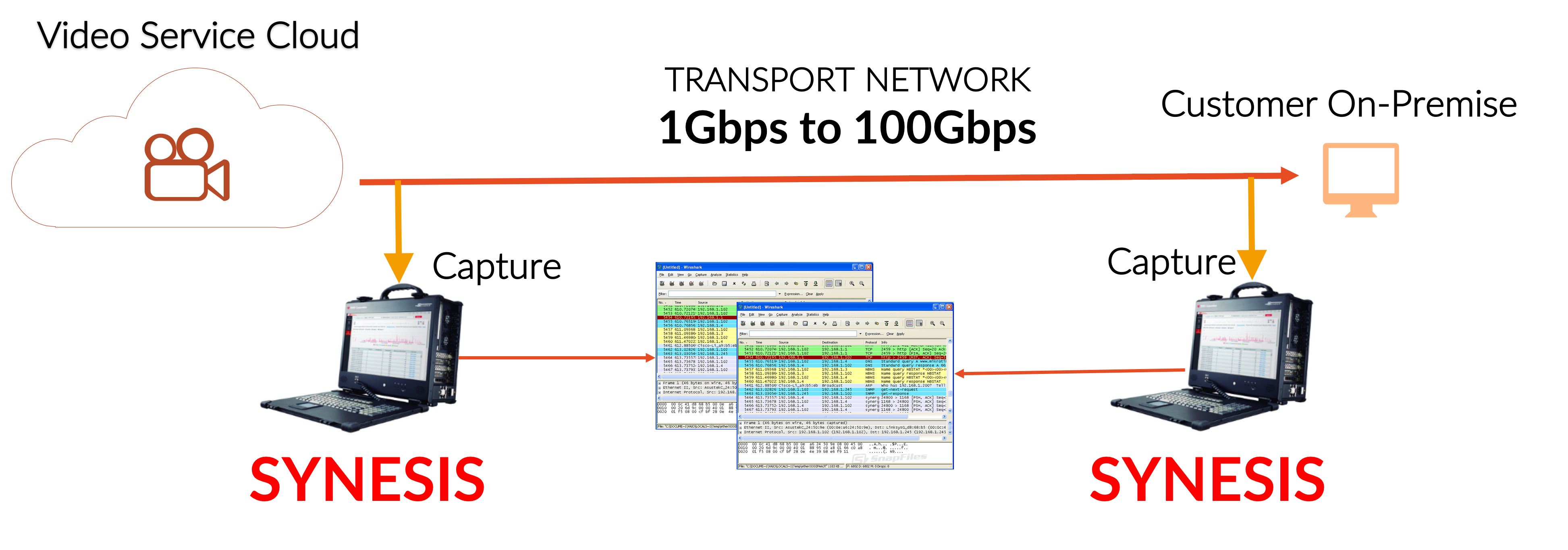
RECORD – Use a “divide and conquer” approach in isolating where in the network the packet loss is occurring.  Start capturing at two different locations: closest to the video source, closest to the destination (i.e. end user).  Compare the capture results between the source and destination.  If the packet count for the video flow is less at the end user then there was definitely packet loss somewhere in the network path between the source and destination.  The next step is pin-pointing the packet loss location by systematically moving the second SYNESIS’ capture point closer to the video source.  Also, in addition to having real world traffic for testing where the chance of problem replication is increased, you now have the data for a repeatable test.

UseCase2_a

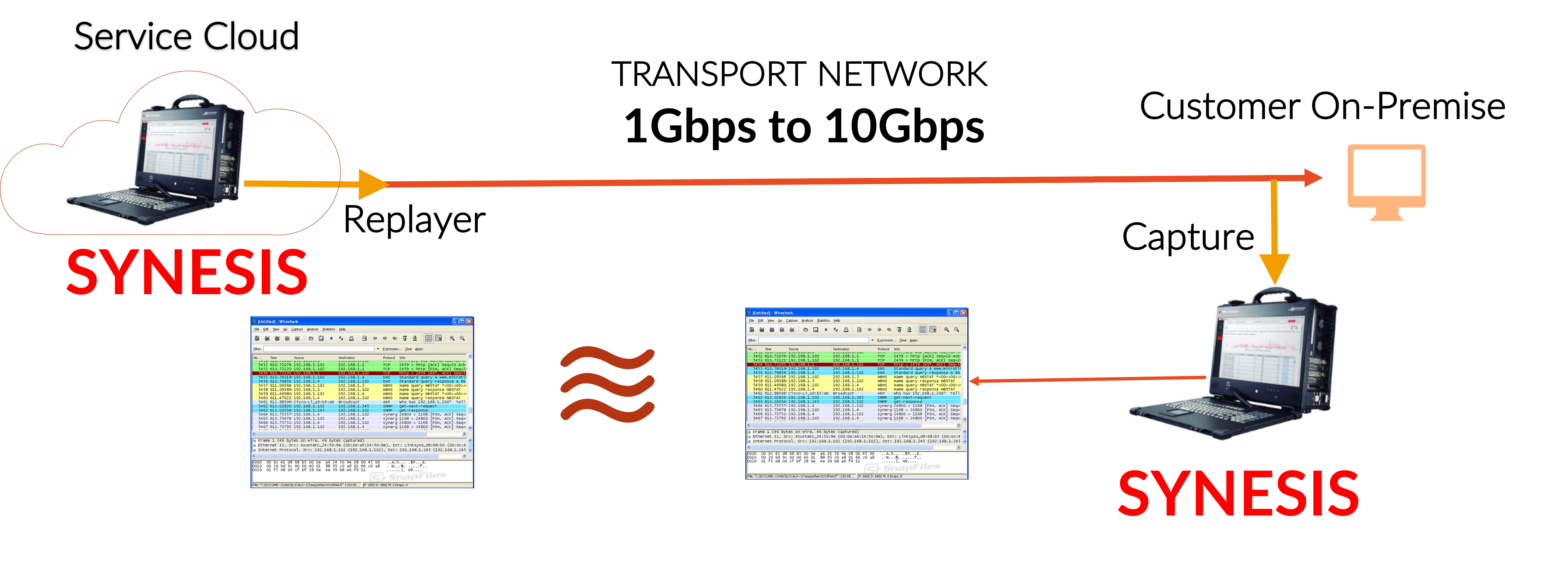
REPLAY to REPLICATE – Use SYNESIS Replayer to generate the traffic conditions that triggers the packet loss.  Again, compare the capture flow to what was replayed.  If there was packet loss then the faulty network hop is still upstream.  Systematically move your capture point closer to the video source then replay and compare results again.  Eventually, you’ll be able to identify the problematic hop or section in your network causing the packet loss.  The fix may involve setting QoS, physical hardware changes, reconfiguring load balancers,…etc.  After the the location has been identified and network configuration changes have been applied, rerun the test to confirm the fix.

UseCase2_b

Click here for more information on SYNESIS!

Click here for Part 1: “The Three Rs: Record, Replay, Replicate — Replicating customer issues in the lab”

Click here for Part 3: “The Three Rs: Record, Replay, Replicate — Testing security appliances with real world data with  SYNESIS”

The Three Rs for Network Device Testing & Troubleshooting: Record, Replay, Replicate (Part 1 of 4)

Part one of a four part Use Case series

How do you increase your chances of replicating customer issues in your lab?  Just remember the Three Rs!

There’s no other product like SYNESIS that can capture at 100G with no packet loss.  We just made it better by adding Packet Replayer!  SYNESIS is now a perfect tool for R&D,QA, and Field Service teams at network equipment manufacturers where being able to record and use data for customer issue replication and resolution regression critical.

A major challenge faced by Field Service,R&D, and QA teams is replicating issues reported by their customers.   These teams just aren’t able to record the data with traditional network recorders due to today’s high traffic rates seen at packet capture points.  Also, it’s just unfeasible to deploy a network recorder, often involving large appliances requiring too much rack space, high power requirements, and long setup time.

SYNESIS solves this challenge by being the only portable network recorder capable of continuous capture , even up to 100Gbps.  In addition, teams are now able to use that data to solve their customer issues using what we call the Three Rs: RECORD,REPLAY,REPLICATE

RECORD network traffic that trigger your customer’s network and/or application issues.  Real production traffic is the most realistic data set you can use for troubleshooting and testing.  Then REPLAY that data in your test environment to REPLICATE your customer network and/or application issues.

Let’s take a look at our first use case.

Use Case 1: Replicating customer issues in the lab

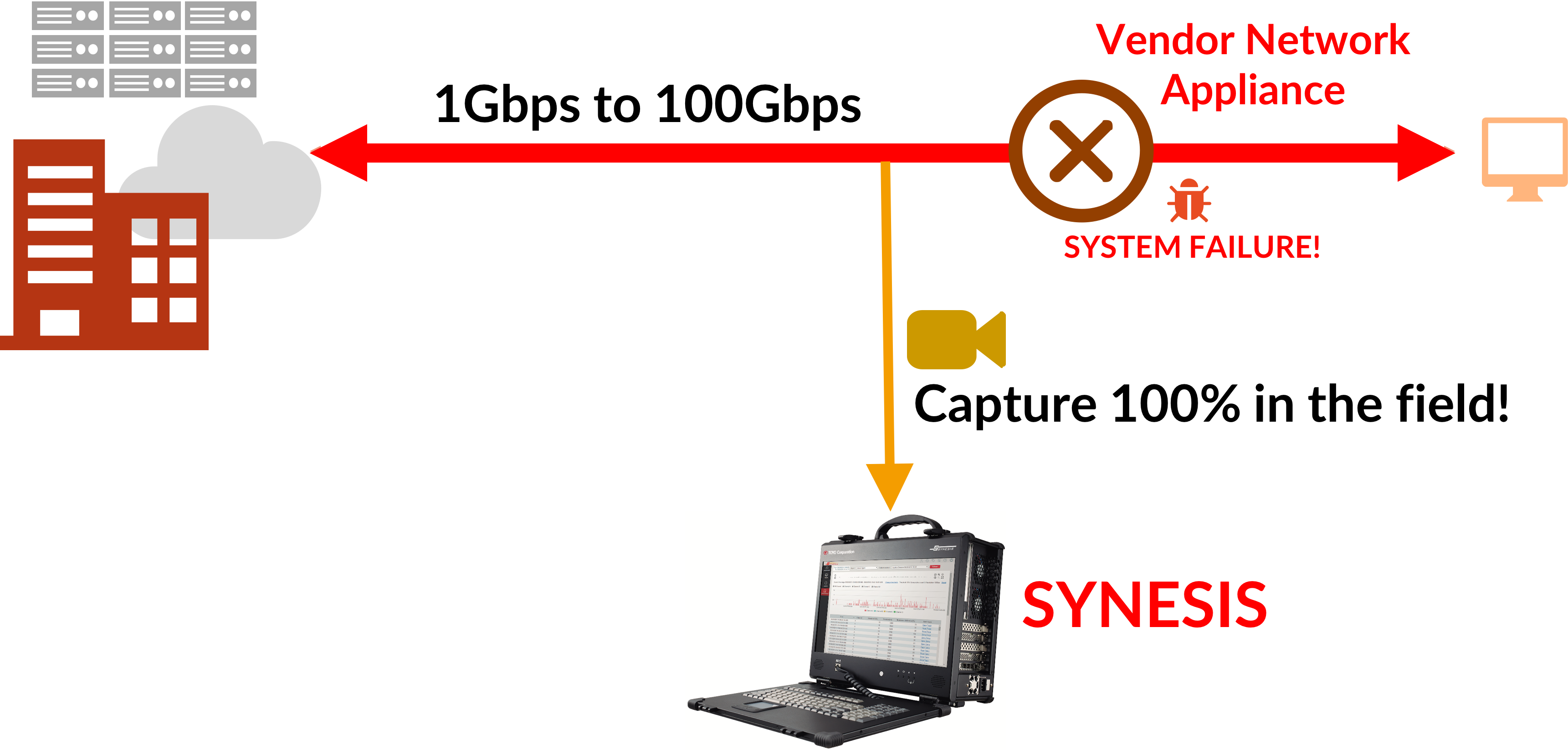
Network vendor equipment sometimes experience failures once deployed at customer sites causing grief for both vendor and customer.  These failures are typically caused by “certain traffic conditions”.   The vendor teams (Field Support,R&D,QA) then try to replicate the same failures using synthetic traffic in their own test lab, usually without success.  What will increase the issue replication success rate?  Real world data, their customer’s data!  Recording real production data onsite and using that same date in the company controlled test lab will greatly enhance the chances of replicating customer issues.  Using our 3R method…

RECORD – Capture production data into SYNESIS’ high capacity storage.  Even if line rates reach 100Gbps, no packet lost will occur, including microburst conditions.  When the suspect network equipment fails, the offending traffic is saved in storage.
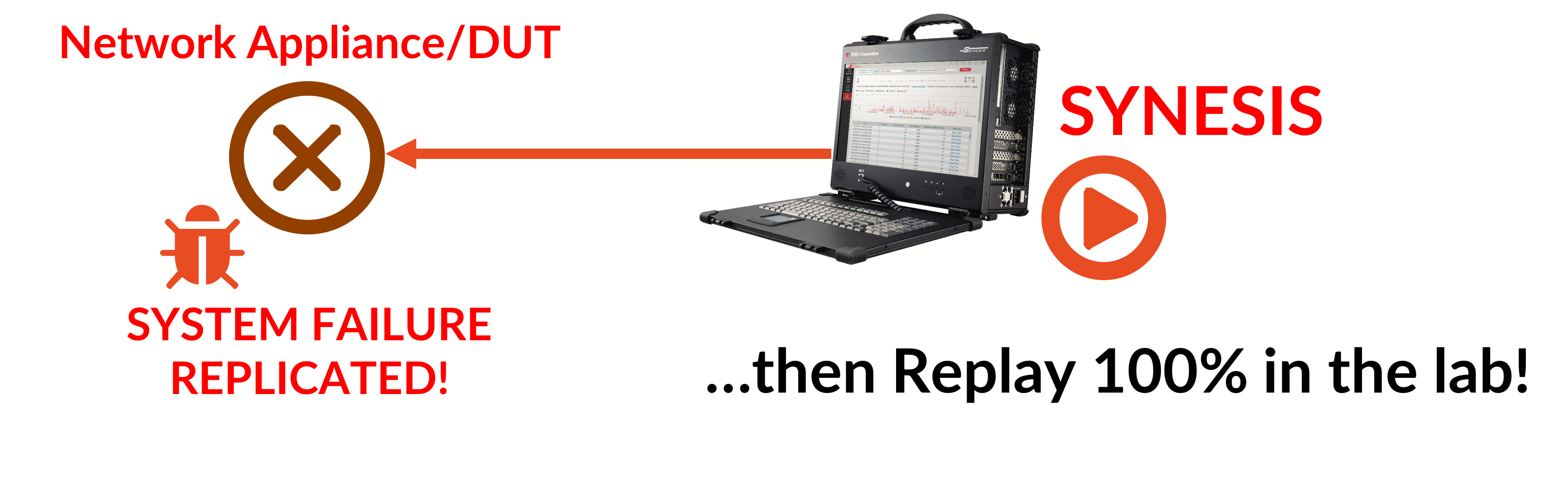
REPLAY to REPLICATE – Bring SYNESIS with the storage traffic data back into the company lab where matching equipment is available for problem replication lab.  Replay the same data at the same packet rate and timing, up to 10Gbps.  Your chances of reproducing the problem is greatly increased.  The same data may also be replayed for confirming code fixes and for regression testing.
Click here for more information on SYNESIS!

Click here for Part 2: “The Three Rs: Record, Replay, Replicate — Isolating a video streaming quality issue using SYNESIS”

Click here for Part 3: “The Three Rs: Record, Replay, Replicate — Testing security appliances with real world data with  SYNESIS”